Skip to content

Capture

Print Screen freezes the screen and offers three choices: an area, a window or a whole screen. The screenshot opens in an editor for annotation, then is copied with one click.

Download for Windows

0.4.1 · November 15, 2026 · 6.6 MB

Portable version (.zip)Other systems and versions

Windows may show a warning on first launch: the executables are not signed yet. Click "More info", then "Run anyway". To verify the file, compare its SHA-256 checksum with the one in the technical details.

Available for Windows and Linux

0.4.1 · November 15, 2026

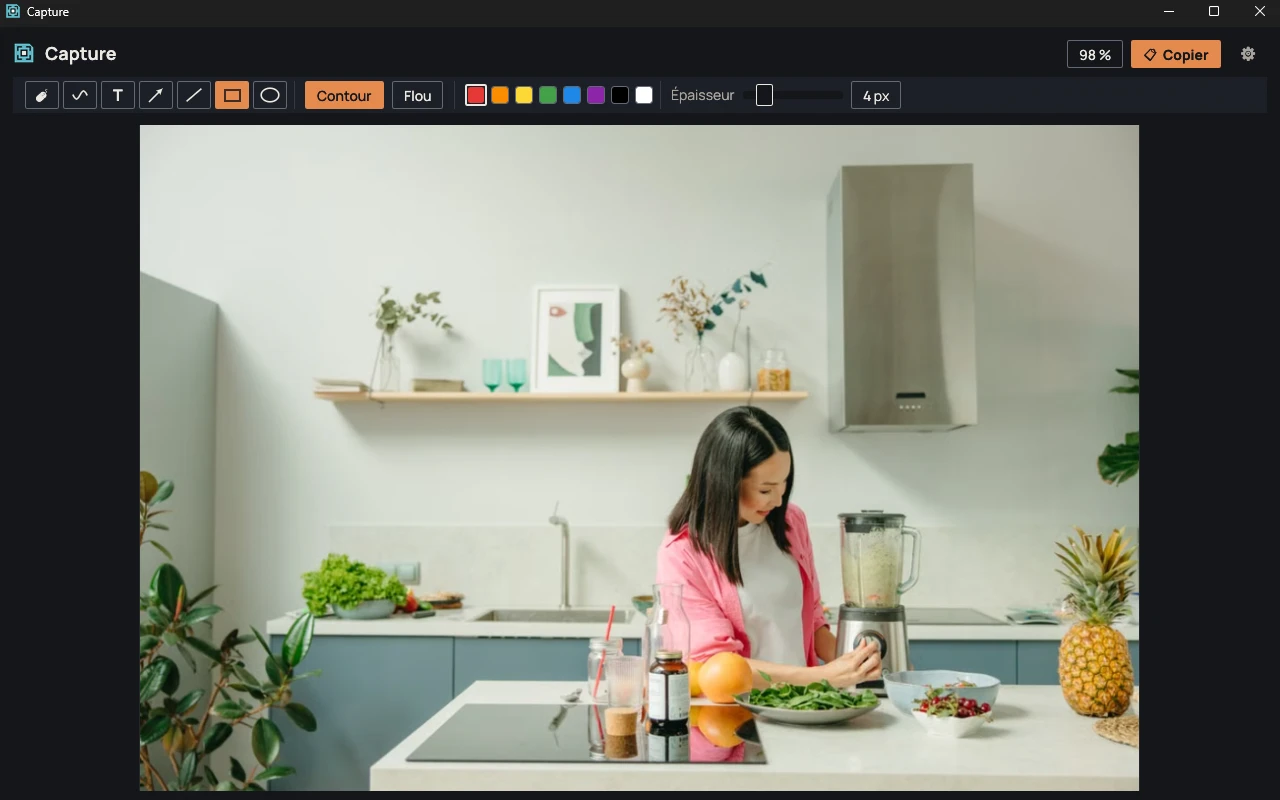
Capture editor open on a photo, with the toolbar, the colors and the Copy button.
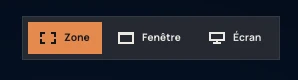
Dimmed screen with the Area, Window, Screen bar and a window outlined in red.

Area, window or screen

A bar at the top of the screen offers Area, Window and Screen; pressing Print Screen again moves to the next choice. In Window mode, the inside only or the whole window is captured depending on where you point. On Windows, the window is read on its own, without the windows lying on top of it.
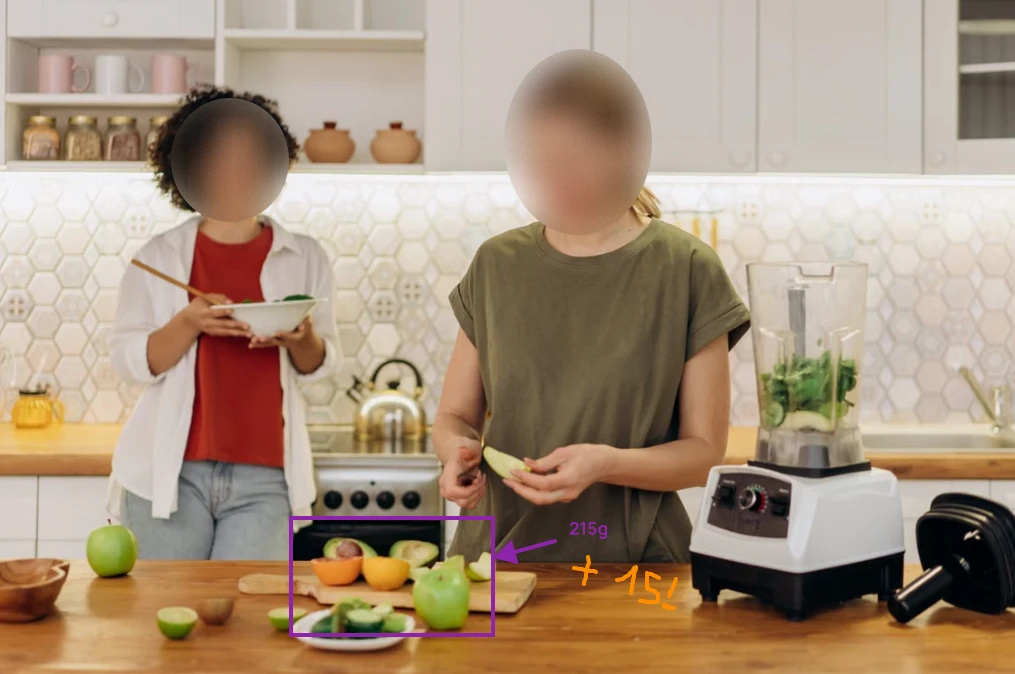
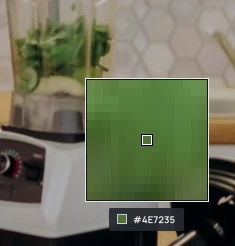
Photo annotated in Capture, with two blurred faces and colored shapes.

Annotate before copying

Freehand drawing, text, arrow, line, rectangle and ellipse, in eight colors. A rectangle or an ellipse can also blur an area, with an intensity from 1 to 10. The blur cannot be reversed.

Color picker magnifier with the center pixel marked and its color code.

Color picker

Win+Shift+C opens a magnifier on the screen. A click copies the code of the color under it, in #RRGGBB format.

Documentation

Using Capture

System requirements

  • Windows 10 (64-bit) or Windows 11
  • glibc 2.35 or later: Ubuntu 22.04, Debian 12, Fedora 36 and later
  • x86_64 architecture.
  • Linux: X11 session (Wayland is not supported) and a StatusNotifier-compatible notification area.
  • Linux: "Save as" goes through xdg-desktop-portal.

Version

Files for version 0.4.1
FileFormatSizeSHA-256
Windows, installer.exe6.6 MBee1d9ddc4302c671ec2af2210e327a1884887802368009e7a5224903ec2c733c
Windows, portable.zip5.8 MB4d0e0438b60d1cc6bffd3195c4b256313088b4e59be3a3a95f02f9d256f92eba
Linux, portable———

Release notes for 0.4.1 · November 15, 2026

  • Settings window with two checkboxes: replace the Windows Snipping Tool (Win+Shift+S) and start Capture with Windows.
  1. 0.4.1 ·

    • Settings window with two checkboxes: replace the Windows Snipping Tool (Win+Shift+S) and start Capture with Windows.
  2. 0.4.0

    • On Windows, a window is captured on its own, without the windows lying on top of it.
    • Smooth mouse-wheel zoom and middle-click panning.
    • Several annotations can be selected: frame, Shift+click, Ctrl+A.
    • Rotate the image left or right.
    • Settings window, opened from the editor or the notification icon.
  3. 0.3.0

    • Freehand drawing tool.
    • Tools, colors and sliders grouped in a single block.
    • The annotation just drawn stays selected: the blur intensity applies to it immediately.
    • Middle-click to move around the image.
    • Right-click: copy, save as (PNG or JPEG), flip horizontally or vertically, black and white.
  4. 0.2.1

    • Annotations, labels and the choice bar use the Manrope font.
  5. 0.2.0

    • Win+Shift+S is left to Windows; Print Screen starts Capture.
    • "Area · Window · Screen" bar, and window or whole-screen captures.
    • Blur intensity adjustable from 1 to 10.
    • Fix: the shortcut did not work while the icon menu was open.
  6. 0.1.0

    • First version: area capture, editor, color picker, notification icon.

Verify a file

Compute the SHA-256 checksum of the downloaded file and compare it with the one in the table. If they differ, the file was modified or not downloaded correctly.

Windows
certutil -hashfile <fichier> SHA256
Linux
sha256sum <fichier>

No known bugs

This message goes straight to the person who develops Capture, and it will be read. The email address is optional: leave it if you would like a reply. Otherwise, if your feedback leads to a fix, you will find it in the release notes.

Message type

What happened, what you expected, and the steps to reproduce the problem.

To show an image, paste a link to a well-known image hosting service.