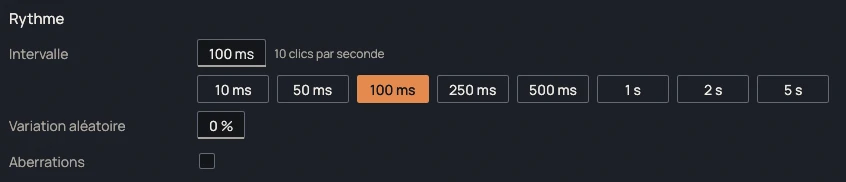
An adjustable rhythm
The interval ranges from 1 ms to 1 hour, with eight common values one click away. A random variation of 0 to 50% can be added. The "aberrations" option occasionally inserts a long pause or an early click.

AutoClicker clicks automatically at the interval you choose, from 1 ms to 1 hour. The F6 key starts and stops the clicks from any window.
0.4.0 · November 15, 2026 · 6.2 MB
Portable version (.zip)Other systems and versions
Windows may show a warning on first launch: the executables are not signed yet. Click "More info", then "Run anyway". To verify the file, compare its SHA-256 checksum with the one in the technical details.
Available for Windows and Linux
0.4.0 · November 15, 2026
Request recorded. Thank you.
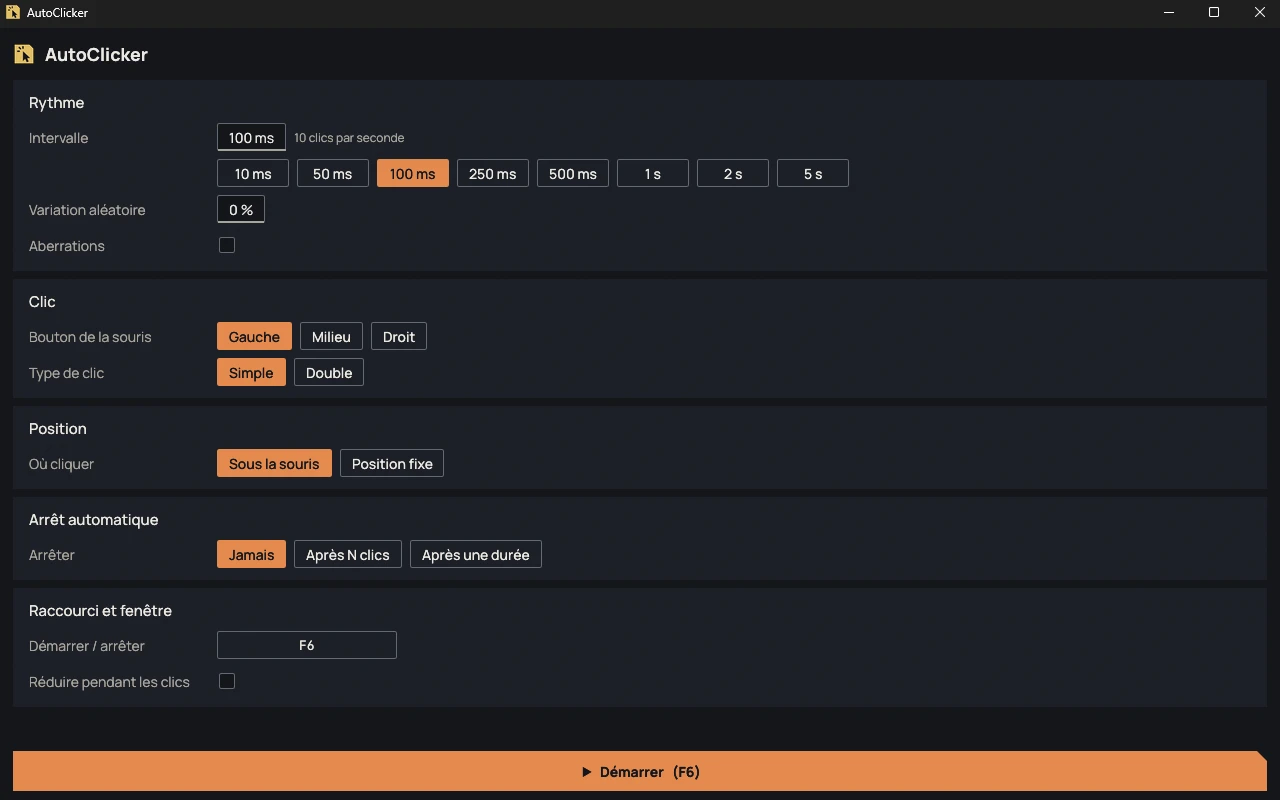
The interval ranges from 1 ms to 1 hour, with eight common values one click away. A random variation of 0 to 50% can be added. The "aberrations" option occasionally inserts a long pause or an early click.
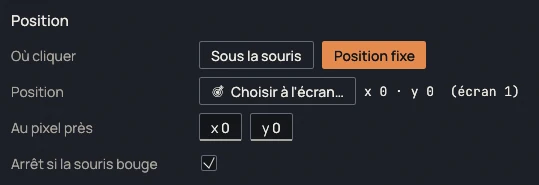
Clicks happen under the pointer, or at a position picked on screen or typed in to the pixel. At a fixed position, clicking stops as soon as the mouse moves. Left, middle or right button, single or double click.
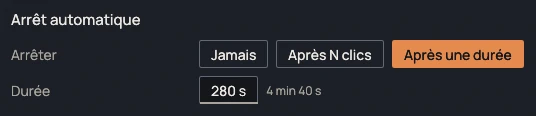
Clicking stops after a number of clicks or after a duration. The window can be minimized while clicking. No setting is saved: each launch starts from the default values.
| File | Format | Size | SHA-256 |
|---|---|---|---|
| Windows, installer | .exe | 6.2 MB | cf889b51a89dbdfa443def5359c79713a3aaffe890048c621f34f8b673d82f70 |
| Windows, portable | .zip | 5.3 MB | 593470edfdd755474fafb59c12814e3711272949b279fc0c50fe7e1731eaa790 |
| Linux, portable | — | — | — |
Compute the SHA-256 checksum of the downloaded file and compare it with the one in the table. If they differ, the file was modified or not downloaded correctly.
certutil -hashfile <fichier> SHA256sha256sum <fichier>No known bugs
This message goes straight to the person who develops AutoClicker, and it will be read. The email address is optional: leave it if you would like a reply. Otherwise, if your feedback leads to a fix, you will find it in the release notes.